iCook.ing · the kitchen app
Save any recipe.
Cook from anywhere.
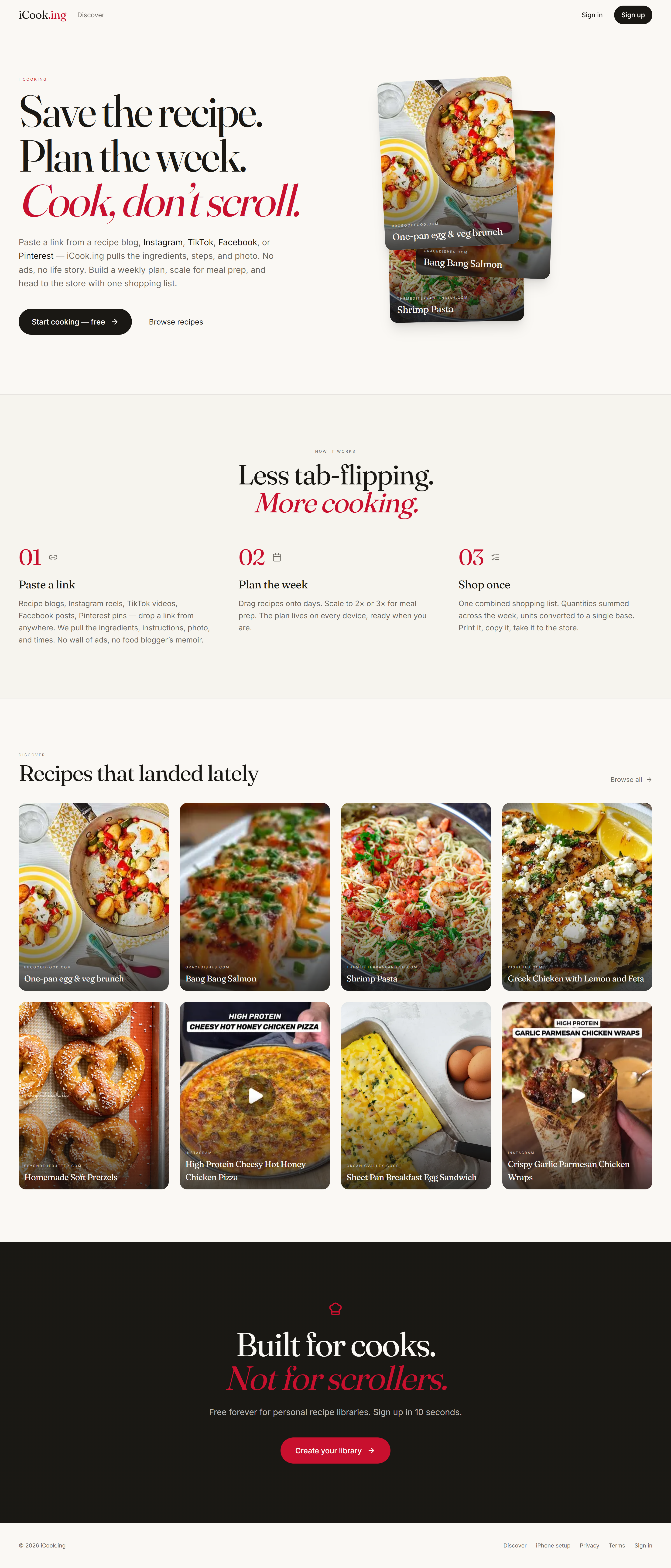
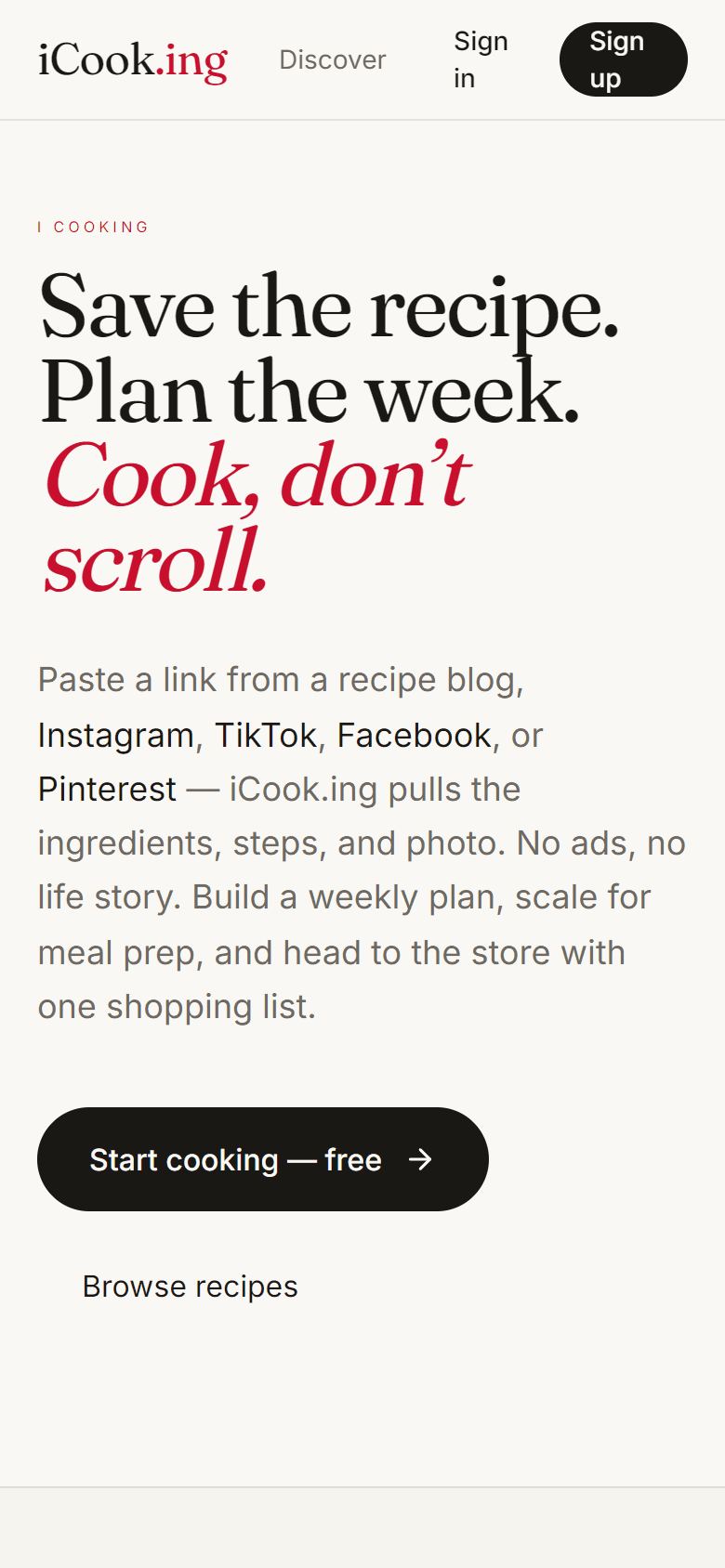
iCook.ing turns the messy collection of recipe links scattered across your phone — texts from your mom, Instagram saves, NYT Cooking bookmarks, screenshots of stained cookbook pages — into one calm, kitchen-friendly library. Paste a URL or upload a photo. We'll structure it, photograph it, and have it ready when dinner is.
A recipe library should be the calm tab you keep open.
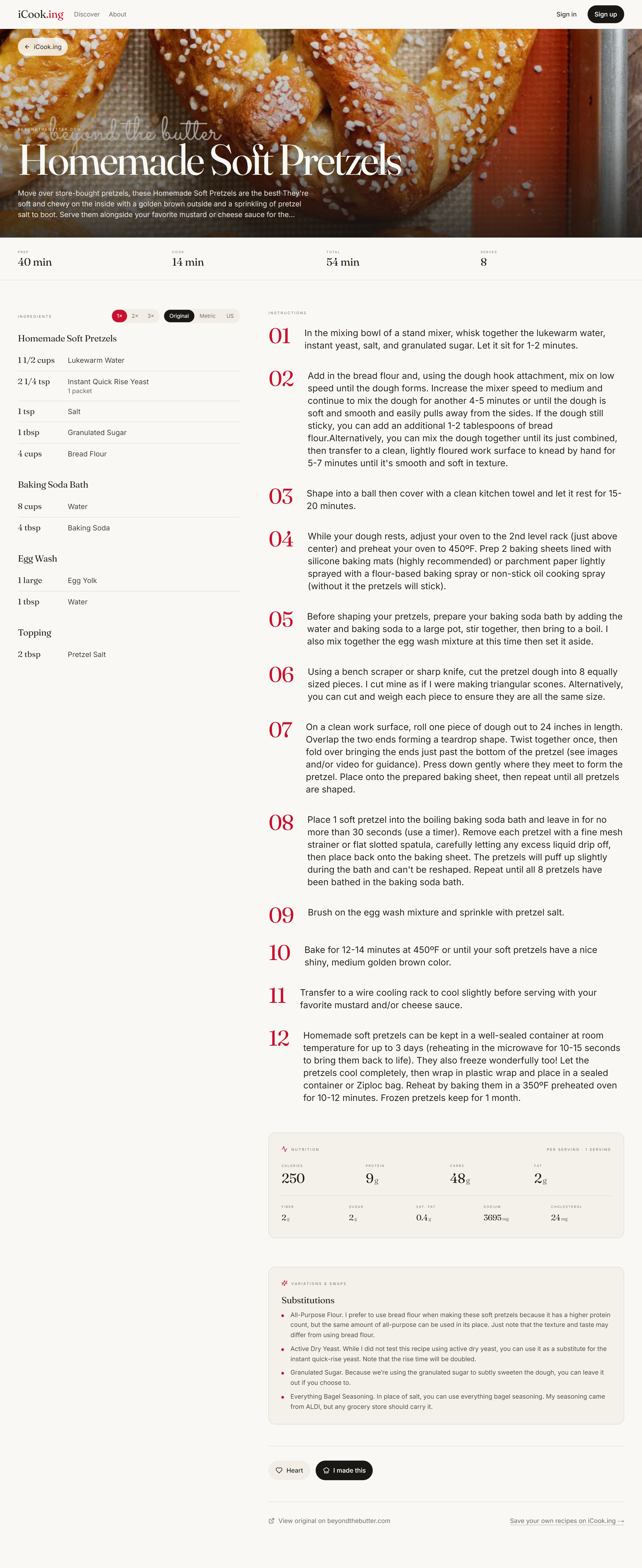
Every food blog opens with seven paragraphs about a beach trip, eight pop-ups, a newsletter modal, and three video ads. The recipe itself is buried. iCook.ing strips all of that. Every recipe you save is presented the same way: a real photo, ingredients on the left, instructions on the right, big readable type, nothing trying to win your attention.
The next "magic moment" we invested in isn't browsing or organizing — it's while cooking. Most recipe apps are filing cabinets. iCook.ing wants to be a kitchen tool.
Paste anything. We figure it out.
Recipe blogs, Instagram reels, TikTok captions, Facebook posts, Pinterest pins, or a screenshot you grabbed at someone's house. iCook.ing reads the page (or the image), extracts ingredients and steps into a clean structure, downloads the hero photo, and saves it to your library.
Three intake paths
Blog URL
Works on ~95% of major food sites including NYT Cooking, Bon Appétit, Serious Eats, AllRecipes.
Social URL
Instagram, TikTok, Facebook — we read the post image and caption together to pull the recipe.
Photo upload
A screenshot, a cookbook page, a handwritten note — same extraction pipeline pulls a clean recipe out.
Cooking Mode — hands-free, at arm's length.
The recipe app that gets out of your way while you're actually cooking. Big type. Phone stays awake. Every time mention in the steps ("simmer 20 minutes") is tappable — one tap starts a labeled timer. Multiple timers run in parallel; finished alarms loop until dismissed.
Cooking
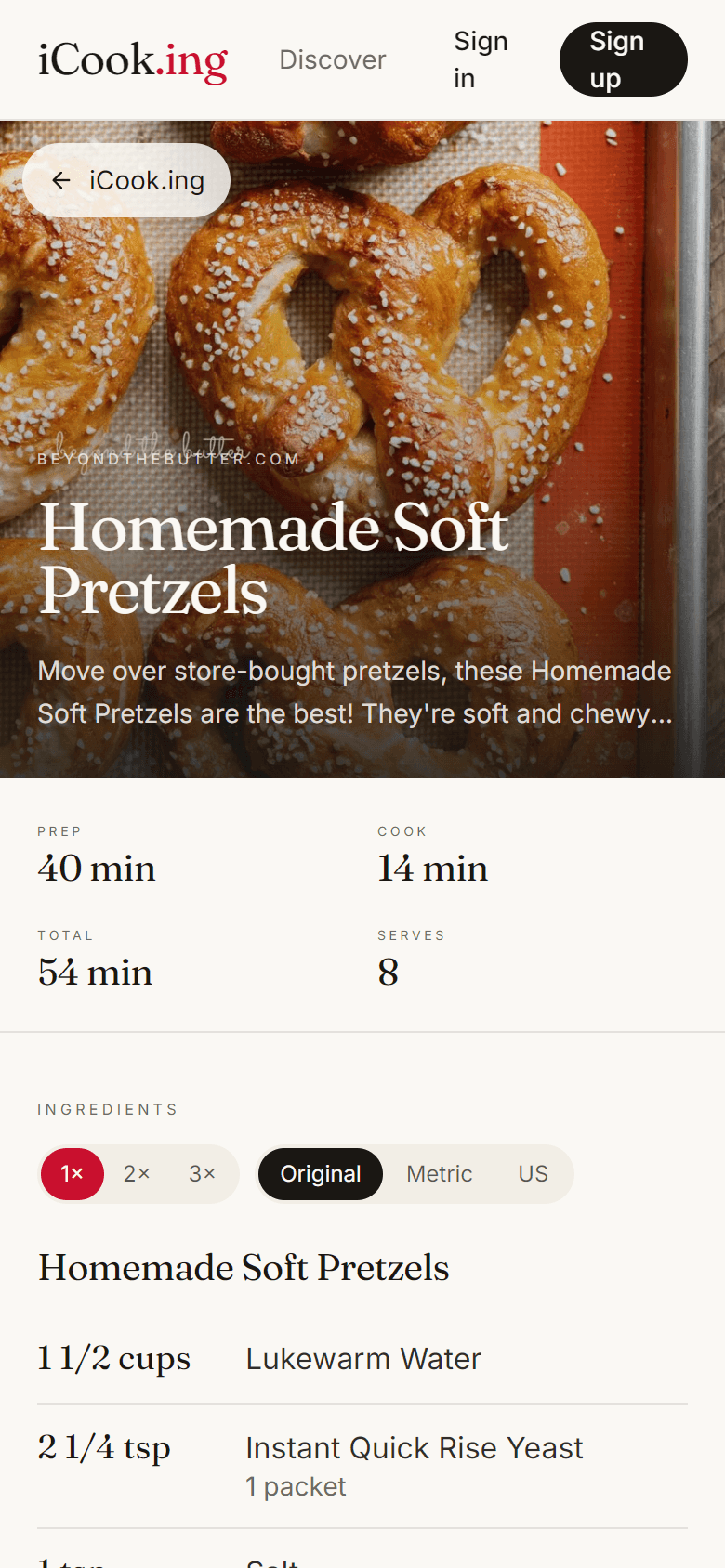
Homemade Soft Pretzels
Step 4 of 12 · ◯ Mark done
Increase the mixer speed to medium and continue to mix for another 4–5 minutes or until smooth.
Dough rest
3:47
Ends at 7:42 PM
What's in it
- ●Tap-to-time. The regex parser finds "simmer 20 minutes" or "1 hour 15 min" and turns each into a tappable chip.
- ●Screen Wake Lock. Your phone or tablet won't dim mid-knead.
- ●Mise en place sidebar. Every ingredient is checkable. State sticks across the session.
- ●Voice control. Say "next", "previous", "back", "repeat", "pause", "resume", "dismiss". Off by default.
- ●Guided tour. 7-step spotlight on first visit. Re-openable from a (?) button anytime.
- ●Two-state timer panel. Default expanded view with a huge countdown and end-time. Collapse to a footer pill.
Loud, multi-channel alarms
"Hands-free in the kitchen means actually waking the cook from across the room. Layered: looped WAV audio at full gain, vibration pattern, browser notification — ringing for 5 seconds, pause 5 seconds, until dismissed."
Cross-page cooking sessions
Started a timer, popped out to check a sub-recipe in your library? The Active Cooking pill stays in the header (and bottom nav on mobile) the whole time. It flashes red the moment a timer rings, and lists every active recipe so Thanksgiving-Dinner mode — multiple recipes cooking in parallel — works gracefully.
"What can I make with chicken thighs and lemon?"
Library search now scans ingredients, not just titles. Type a list (or paste one from a fridge audit) — comma-separated works — and we'll show recipes that contain all of them. Wrap a phrase in quotes to keep it whole.
Library · 47 recipes
Matches all 3 terms. Use quotes to keep a phrase together.
Mobile rolls the filter row into three pills (Preset / Folders / Tags) that open bottom sheets.
A journal for the recipes you actually cook.
Most saved-recipe apps become graveyards. iCook.ing flips that: tap Mark cooked when dinner's done. Add a 1–5 star rating and a free-text note ("used half the salt; double the lemon zest next time") — multiple notes per recipe, timestamped.
Recipe detail
Made 3× · last May 7
Tap to expand the cook history popover — ratings, notes, dates. The newest non-null rating becomes your canonical score.
Library filter
Recently cooked
Cooked in the last 30 days. Quick way to reach the keepers when you're hungry and don't want to scroll.
Library filter
Haven't made yet
The genuinely useful filter: every recipe you've saved but never cooked. Pulls you off the same five weeknight defaults.
Folders for big buckets. Tags for everything else.
Folders work great for Italian, Desserts, Dinner. But "quick", "kid-friendly", "weeknight", "vegetarian", "one-pot" cut across those buckets. Tags handle the cross-cutting attributes — many per recipe, with built-in baseline suggestions.
Auto-tagged where it makes sense
A recipe under 30 minutes gets the quick tag automatically on import.
Weekly plan + shopping list
Drag any recipe onto a day of the week. Scale serving counts up for meal prep. Generate a unified shopping list across the whole week with quantities summed by ingredient name — one cohesive grocery list instead of seven separate ones.
A clean link your friends will actually open.
Flip the share toggle on any recipe and you get a public /r/<slug> URL that anyone can read — no signup, no paywall, no autoplay video. Pages unfurl as rich previews in iMessage, WhatsApp, Facebook, and Twitter, surface as recipe cards in Google, and offer a one-tap "Save to my library" for visitors.
Light social, on every shared page
A heart button (anonymous-friendly — localStorage dedupe), an "I made this" submission with optional photo upload, and aggregated counts. The recipe owner sees totals on their library card. Stops short of a social network — no follows, no feed.
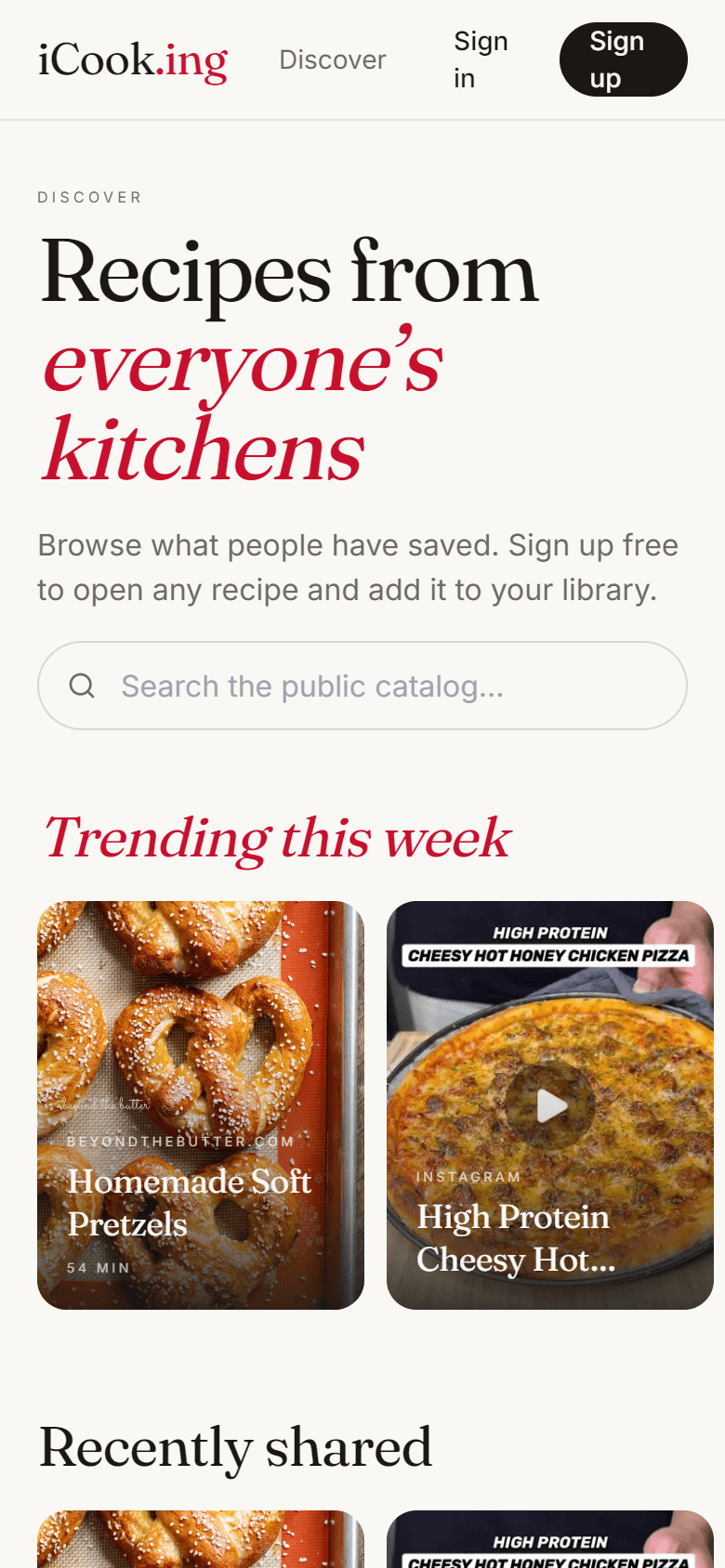
Recipes from everyone's kitchens.
The Discover page surfaces what other cooks have saved publicly: a Trending-this-week row weighted by reaction + made-it counts, a Recently-shared rail, by-tag rollups à la Netflix rows, and a search bar that ranges across the entire public catalog.
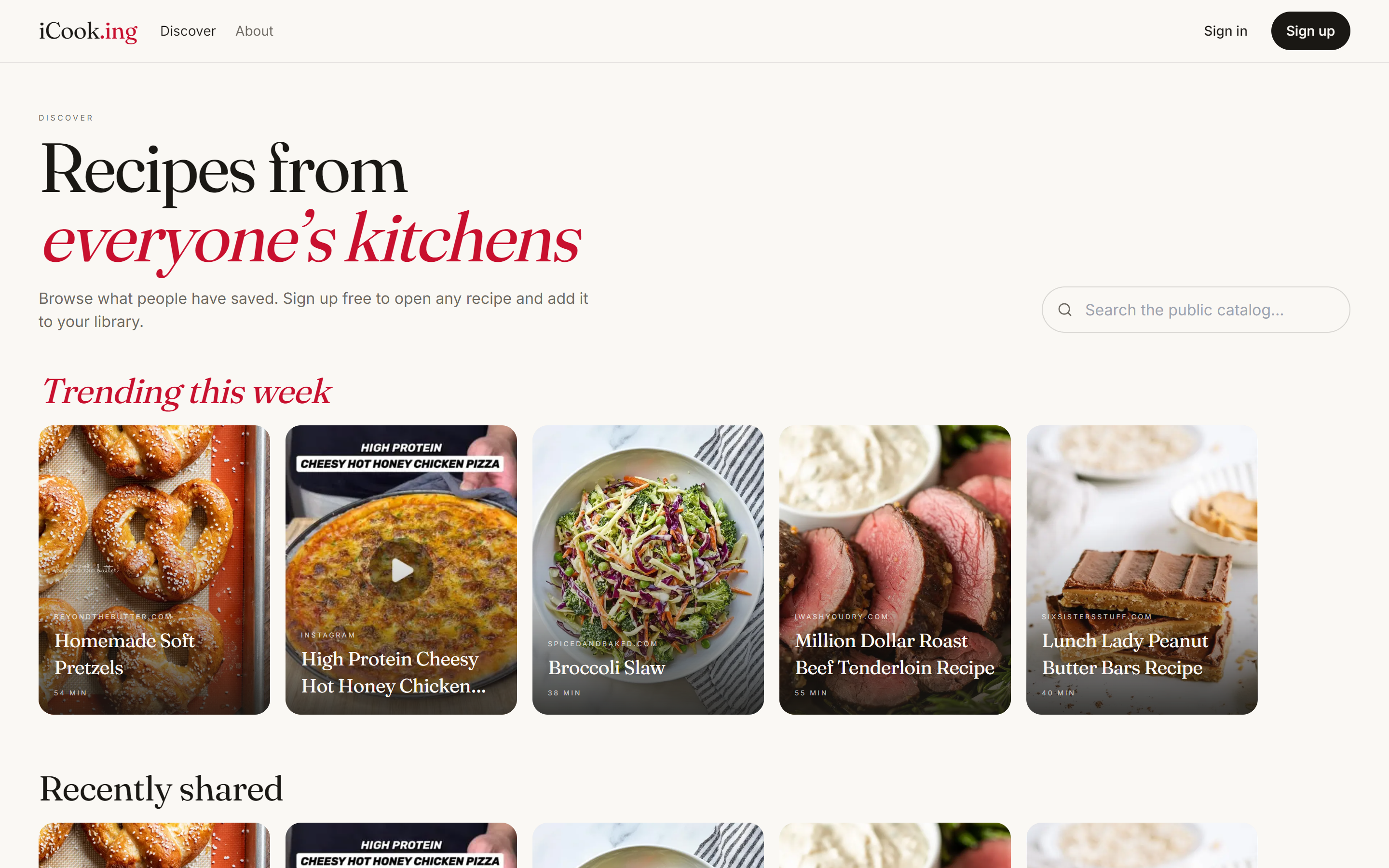
Trending this week
Engagement-weighted
Reactions + 2× made-it count + a fresh-share kicker for recipes uploaded in the last 14 days. Deduplicated by sourceUrl.
SEO category pages
/c/<slug>
11 curated landing pages — Weeknight Dinners, Vegetarian Mains, and so on — that surface the long tail of public recipes for discovery and search.
Sitemap
Auto-indexed
sitemap.xml gets every category page and the most recent 5,000 public recipes refreshed hourly. Google indexes without per-recipe SEO work.
One click on any recipe blog.
A browser extension for Chrome, Edge, and Firefox. Click the iCook.ing icon while you're on a recipe page — we'll import it into your library and open it up, ready to cook. Removes the "copy URL → paste in iCook.ing" friction to near-zero.
Built for the flaky wifi near your stove.
Recipe pages and their photos cache on first view so they're there even if the wifi drops mid-cook. Marking a recipe cooked or jotting a note works offline — it queues quietly and syncs as soon as you're back online. Install to your home screen for one-tap kitchen access.
Profile — the cooking dashboard.
Hit the avatar in the header. Recipes saved, cooks logged, hearts received, "I made this" submissions on your public shares, plus how many other users have cloned your recipes into their libraries. The top-3 most-cloned card surfaces the ones to be proud of.
Recipes saved
128
Cooks logged
47
22 unique recipes
Public shares
12
Hearts received
68
on your public recipes
Notifications
Pick your alarm
8 alarm sounds — Klaxon, Chime, Bell, Beep, Trill, Digital, Marimba, Gong. Changes live-swap the running alarm controller.
Refer a friend
Spread the kitchen
Each profile generates an 8-character referral code on demand (avoids 0/O/1/I/l for readability). Share via native sheet, X, or email.
Wednesdays. A short list of unmade picks.
A short, calm email. Three recipes from your library you haven't cooked yet, plus a few newly-shared public recipes that match your tags. Built on the same tag affinity used by Discover, personalized. One-tap unsubscribe at the bottom of every send.
Quietly, in the background.
The polish that doesn't show up in a feature list but defines whether the app feels good to use.
Photos that don't break
Recipe photos are saved to our own storage, so they keep working even when the original site rotates URLs or disappears entirely.
Editorial typography
Fraunces display + Inter body. Recipe titles set tight. Step numbers in big stove-red display weight. Cream + ink palette — no neon, no gradients.
Persistent cooking sessions
Timers survive a swipe-refresh. Step progress and mise en place sticks when you exit cook mode. Multiple recipes can cook in parallel.
Real, audible alarms
Timers actually wake the cook from across the room — looped audio at full gain, layered vibration and notification, ringing until you dismiss them.
Search-engine friendly
Public recipe pages show up as rich cards in Google with the ingredients, instructions, nutrition, and cook times right in the result.
Built for the kitchen, not the demo
Every interaction is tested on real Wednesday-night cooks — ingredient checkoff, hands-free voice, ring-from-across-the- room alarms — not just clean screenshots.
Try it. Bring a recipe.
No demo content, no onboarding wall. Paste a URL you already have saved somewhere — an NYT Cooking link, a screenshot of a cookbook page, an Instagram reel from someone whose food you trust. Have a real cook experience by Tuesday dinner.